There was a time when setting up products in LiveArt meant editing JSON files. Every tweak — whether adding a font, changing color options, or updating pricing — required a developer’s touch. It worked, but it wasn’t simple.
Now imagine having all that power in a clean, intuitive dashboard. That’s where the LiveArt Control Panel (LACP) comes in. It turns what used to be a technical process into a few clicks. You can manage designs, product variants, and galleries without touching a single line of code.
What Makes LACP Different
LACP isn’t locked into any one platform. It’s platform-agnostic, meaning it works independently from Shopify, WooCommerce, or any other eCommerce system. You can deploy it under a separate URL and manage your custom product setup from there.
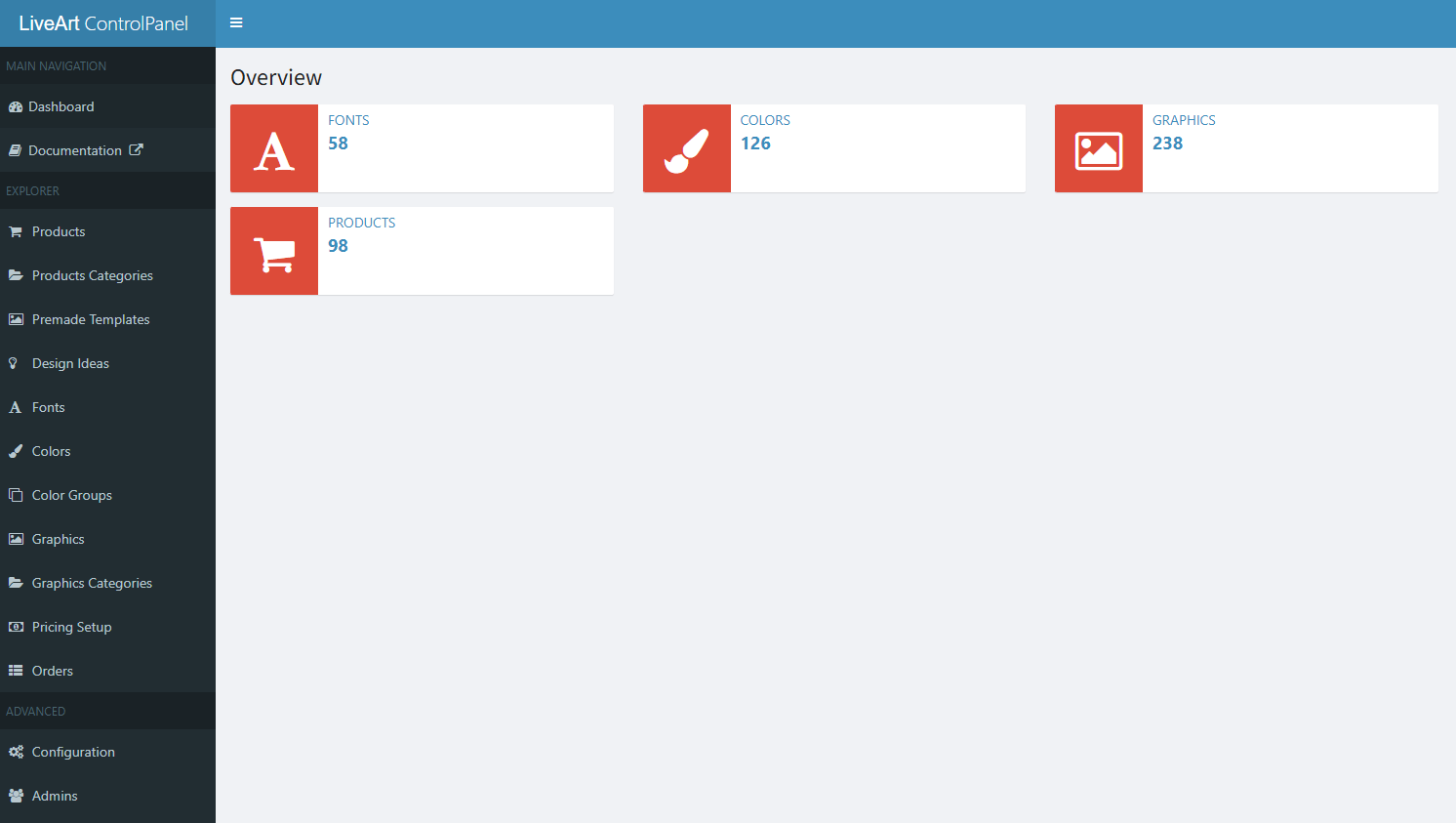
Think of it as the command center for LiveArt Designer — a single place where you control everything:
> Products — add, edit, or remove them in seconds.
> Fonts — manage available typefaces for your customers’ designs.
> Colors — define color palettes and swatches with ease.
> Pricing — set rules, markups, and logic behind each product.
> Galleries — upload artwork and templates that customers can use.
It’s flexible enough to serve as a standalone tool or integrate into a larger workflow — and that’s what makes it powerful.
Managing Products with Ease
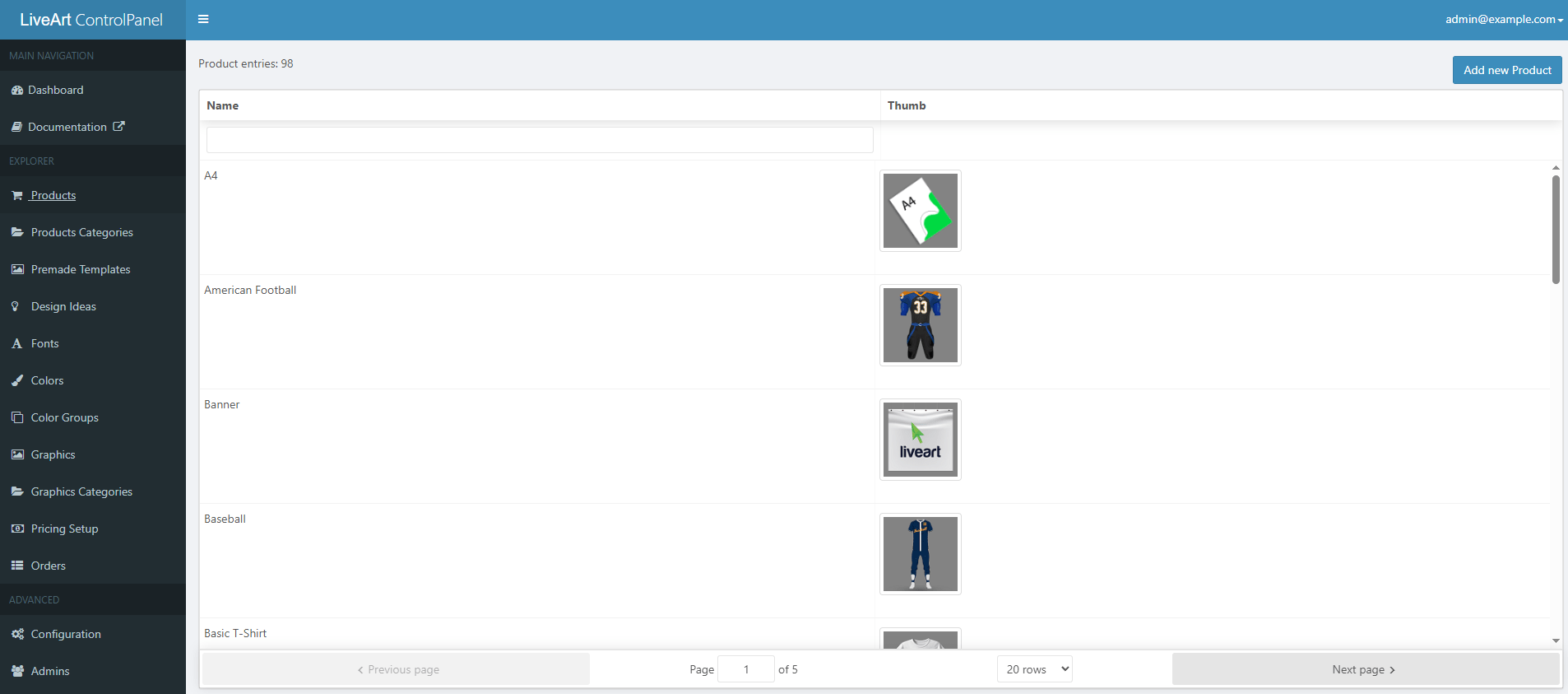
Setting up products inside the LiveArt Control Panel feels like a breath of fresh air. What used to take hours of file editing now takes minutes through a clean, guided interface. Whether you’re adding a new mug, updating a banner, or uploading an entire apparel collection, everything is visual and organized.
Product Types
LiveArt supports two main product categories, depending on how customers interact with them:
> Fixed Products — items that have a defined size and can’t be scaled. Think of mugs, t-shirts, or notebooks. You upload the product image once, and that’s it. Customers can personalize the design, but the physical dimensions stay the same.
> Resizable Products — for flexible products like signs, banners, decals, or stickers. These items can change in size while maintaining perfect design quality. The system uses SVGs (vector files), so no matter how much a user enlarges the product, every line and color stays crisp.
This dual setup enables easy management of a mix of product types — from small, personalized gifts to large-scale signage — within the same control panel.
Product Setup Options
The setup process provides you with complete freedom to define how each product behaves. Here’s what you can do directly from the dashboard:
> Upload product images or vector files in just a few clicks.
> Set resizing behavior based on what makes sense for the product:
Free resize — customers can adjust width and height freely within your chosen limits (ideal for banners and signs).
Fixed sizes — let customers pick from a list of predefined dimensions, keeping production consistent.
Non-resizable — use when there’s only one version of the product.
Every option is designed to ensure a smooth design experience for both the admin and the customer. Once saved, the changes appear instantly in LiveArt Designer — ready for users to customize, preview, and order.
Customization Settings: Colors, Materials, and Design Options
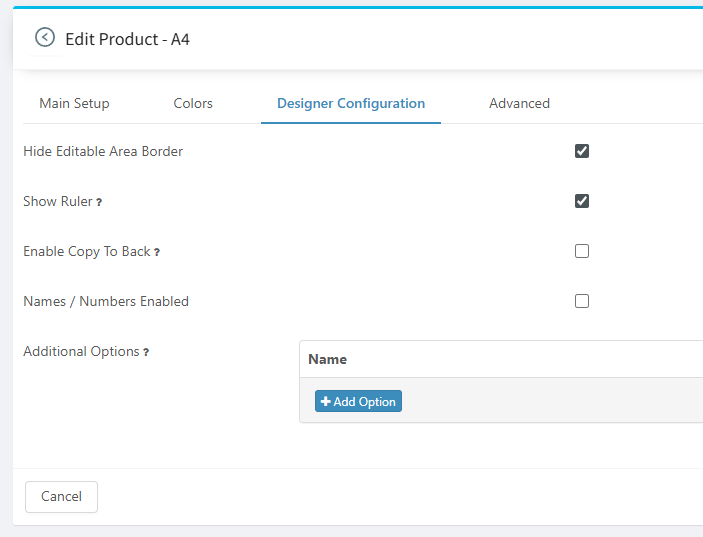
Once your products are added, it’s time to decide how customers can personalize them. The Customization Settings section in LACP gives you full creative control over what’s editable, what’s fixed, and how the product behaves in the LiveArt Designer. You can fine-tune every visual and functional detail — from color palettes to material choices — to match your production workflow and brand style.
Defining Colorization Rules
You can set whether a product is colorizable or stays locked to its base look. For example, a mug might allow customers to choose any color, while a company uniform typically has to adhere to a limited corporate palette. LACP supports both:
> Custom color groups — define specific color sets (e.g., brand-safe colors, metallic finishes).
> Full-color wheel — let customers explore the entire spectrum for complete creative freedom.
Configuring Design Behavior
Every product can behave differently inside the designer. With a few toggles, you can decide how much freedom users get:
> Enable or disable rulers and alignment guides to help with precise placement.
> Allow tools like “Copy to Back” (mirror design on reverse side) or “Material Selection” for different textures and finishes.
> Add optional design add-ons, such as shadows, borders, or special printing effects.
Shape Masks and Editable Areas
For products that require specific print zones, such as the front panel of a bag or the sleeve of a shirt, you can assign shape masks. These masks define exactly where users can apply their designs. They keep logos, text, and artwork within safe, printable boundaries, ensuring perfect production alignment every time.
Fonts, Colors, and Galleries: Total Creative Control
Customization is about giving users the creative tools to make them unique. The Fonts, Colors, and Galleries section of LACP turns your admin panel into a creative hub where every detail is under your control. From the typefaces customers can use to the images they can drop into designs, you decide what appears in the LiveArt Designer and how it’s organized.
Managing Fonts
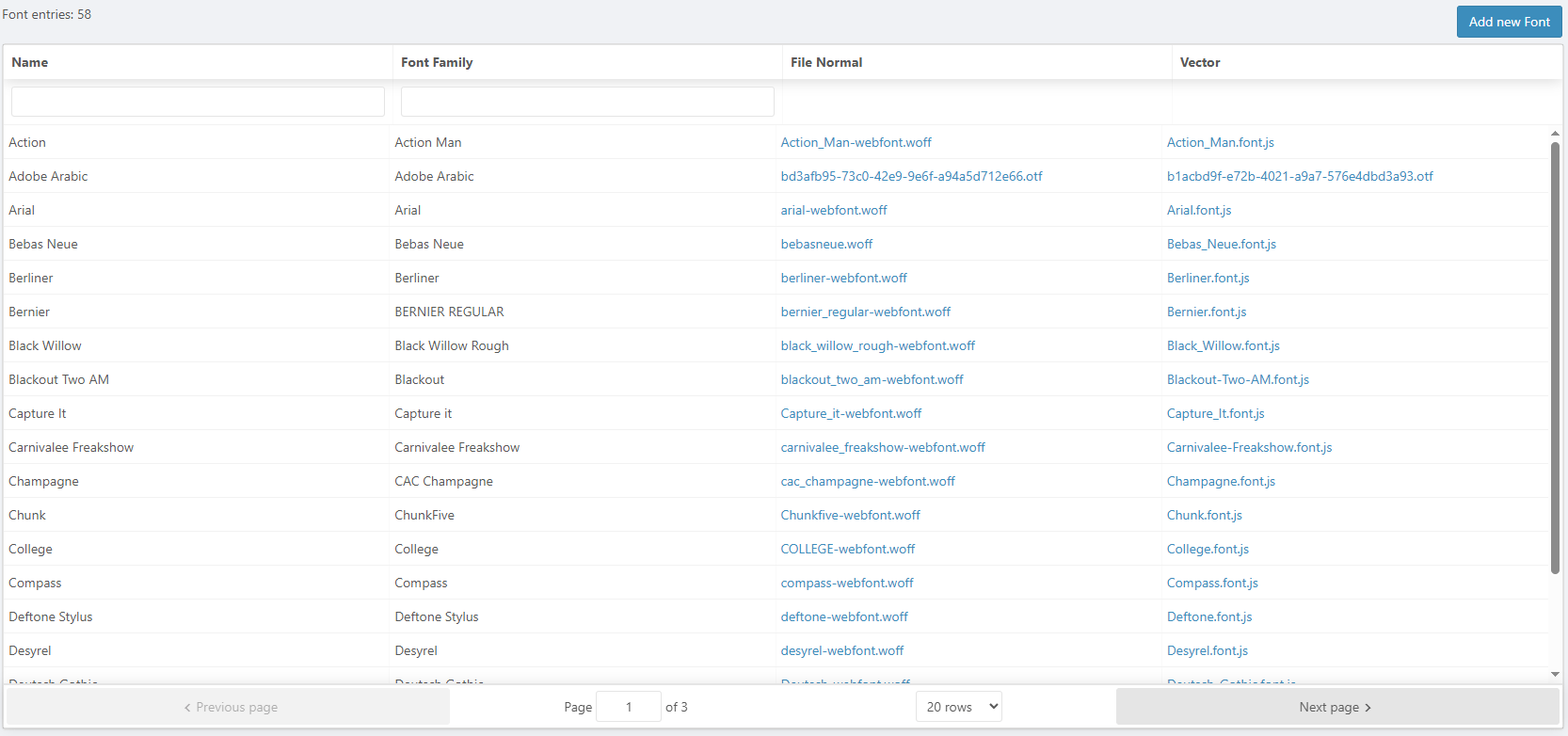
LACP makes it simple to manage typography. You can use the default font gallery that comes with LiveArt or upload your own custom fonts in OTF or TTF formats. Each font is prepared according to LiveArt’s upload guidelines, ensuring it renders perfectly inside the designer. Whether you want to include elegant scripts, bold display fonts, or simple sans-serifs, it’s all handled in a few clicks — no coding or external hosting required.
Organizing Colors
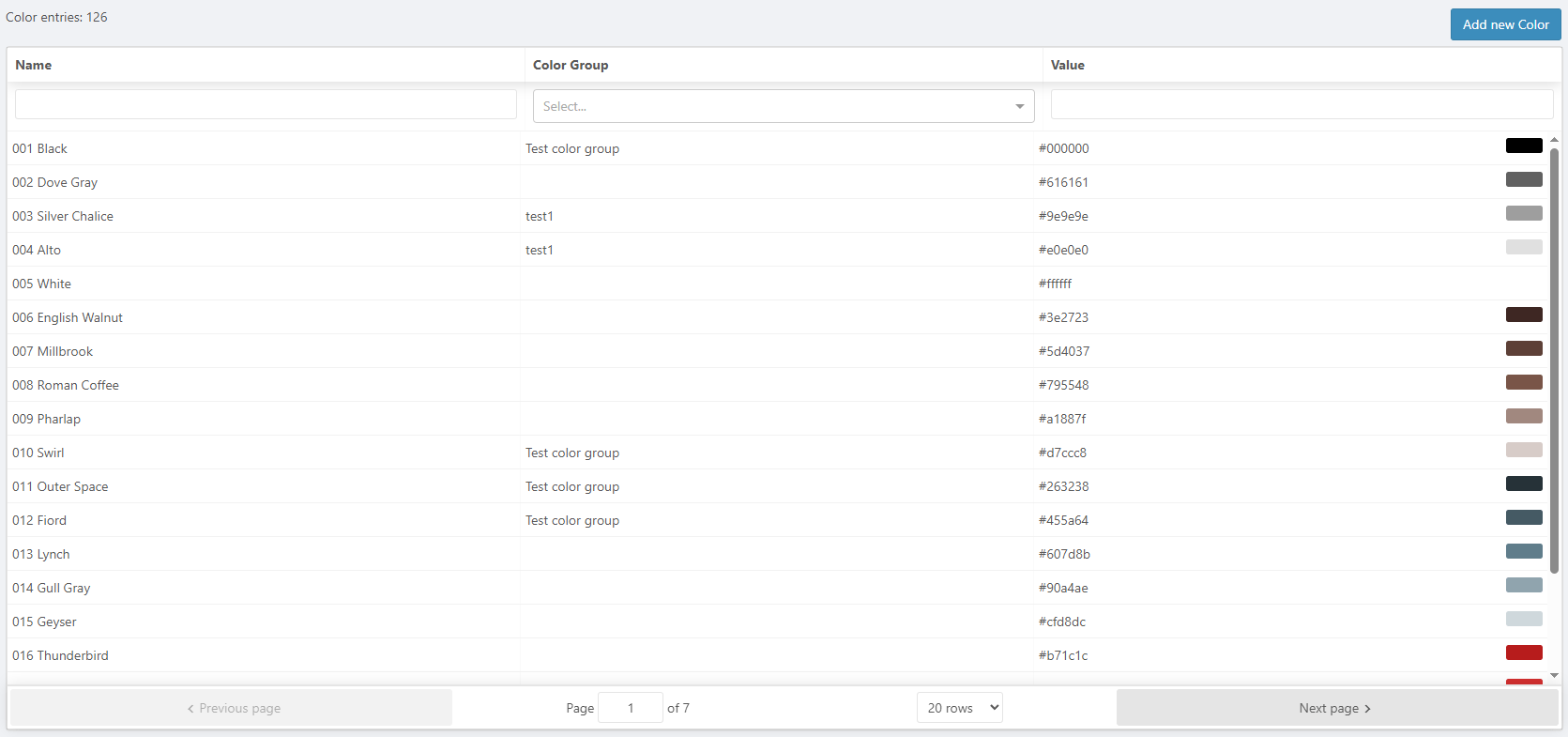
Maintain a consistent brand identity by creating and assigning color groups to specific products. You might want a limited set of approved corporate colors for branded merchandise, or a broader palette for creative users. With LACP, you can edit, clone, or rearrange color sets at any time. Every change updates automatically in the design interface, so customers always see the correct palette.
Managing Image Galleries
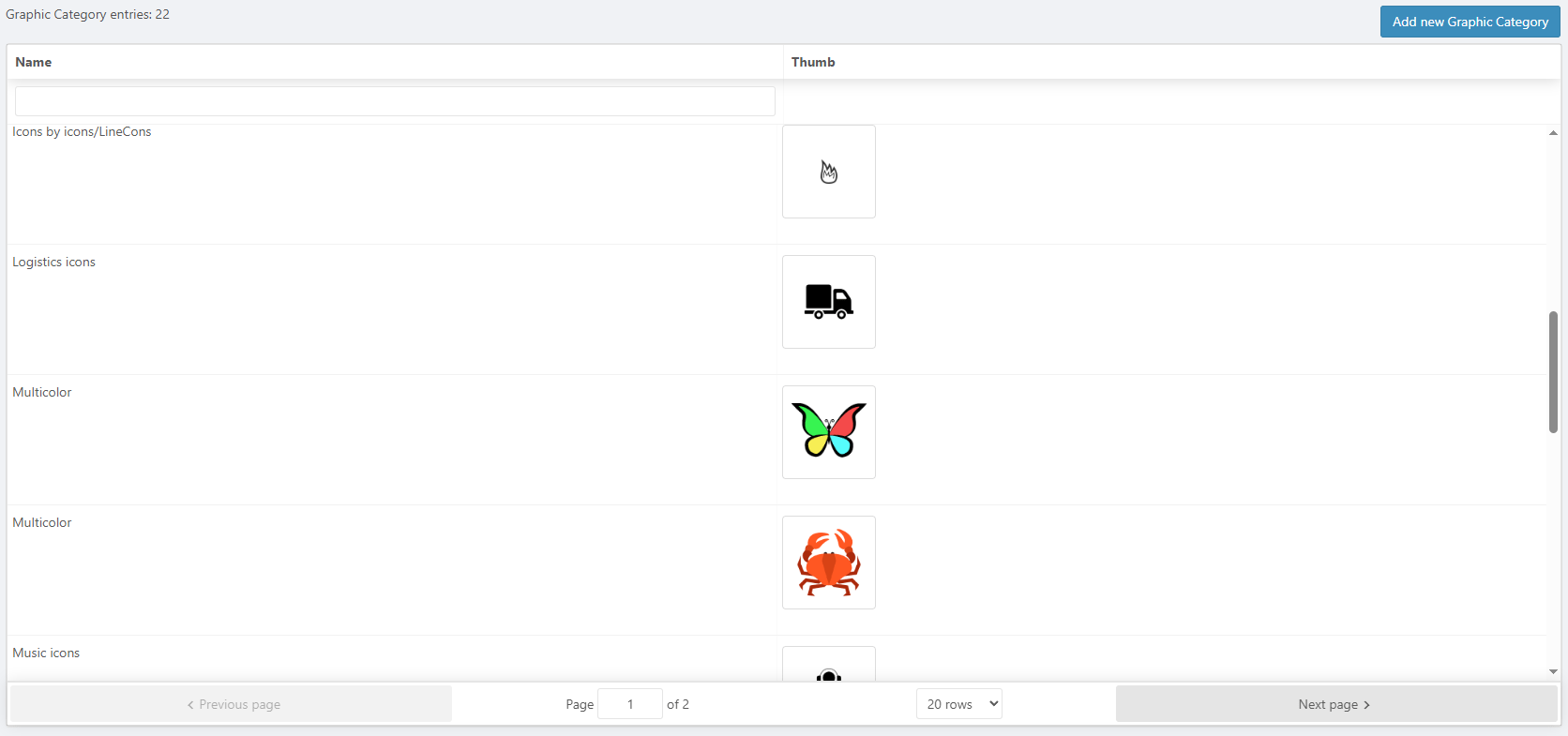
You can also build structured image galleries that appear in the LiveArt Designer. Upload SVGs or raster images, and sort them into folders and subfolders — for example, “Holiday Icons,” “Corporate Logos,” or “Sports Templates.” This organization maintains a tidy and easy-to-navigate system, both for you and your end users.
Flexible Pricing Setup
Pricing custom products can get tricky — especially when designs, quantities, or materials vary. The Pricing Setup section in LACP is designed to handle all aspects. Whether you sell single custom mugs or large banner runs, the system provides you with flexible tools to match your actual production costs and sales strategy.
Multiple Pricing Models
LACP supports several pricing approaches that can be mixed and matched per product:
> Item-based pricing — set a flat rate for each product, ideal for fixed, one-size items like t-shirts or mugs.
> Quantity-based pricing — reward larger orders by automatically applying bulk discounts, such as lower per-item pricing when a customer buys 50 or more units.
Rule-Based Pricing
For more advanced setups, you can enable rule-based pricing that adjusts automatically based on the customer’s design choices or product dimensions.
> Area-based pricing — calculate cost based on the printable area, so larger banners or decals cost more.
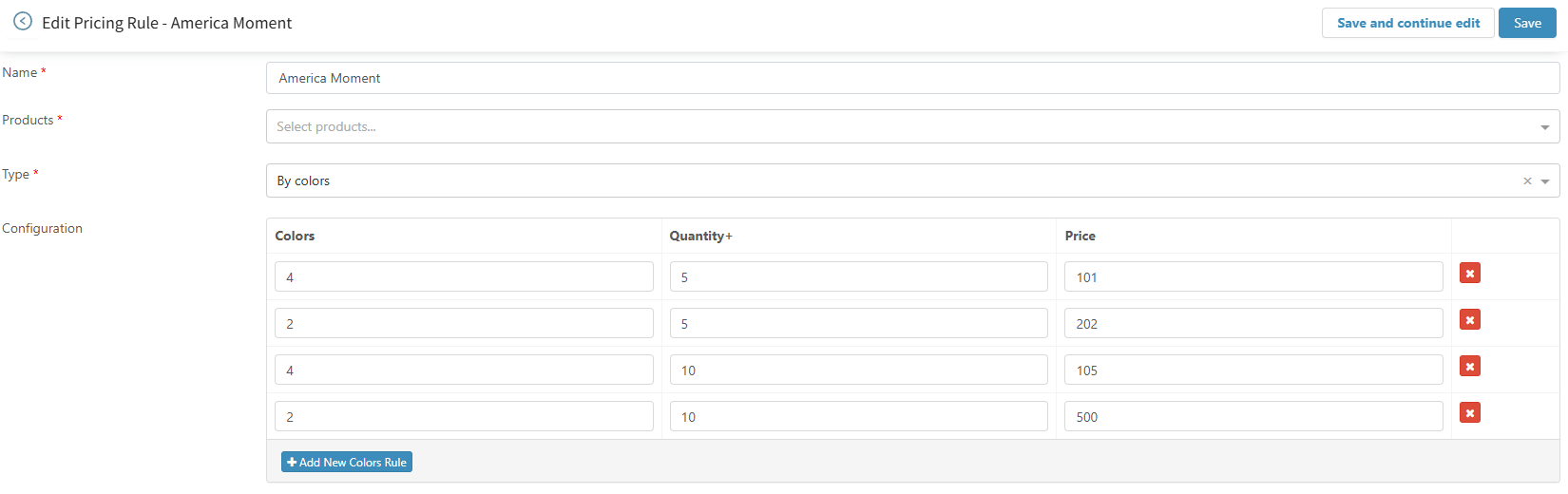
> Color-based pricing — increase the price depending on the number of colors used in the artwork, perfect for screen printing or limited-color production methods.
Every rule can be combined, stacked, and tested directly in the panel, giving you precise control over profit margins while keeping the customer experience transparent and predictable.
Templates and Design Ideas
Sometimes customers need a little inspiration to get started. The Templates and Design Ideas section in LACP helps you deliver ready-made layouts that make designing faster, easier, and more fun. These tools save time for both you and your customers while maintaining a consistent and polished product presentation.
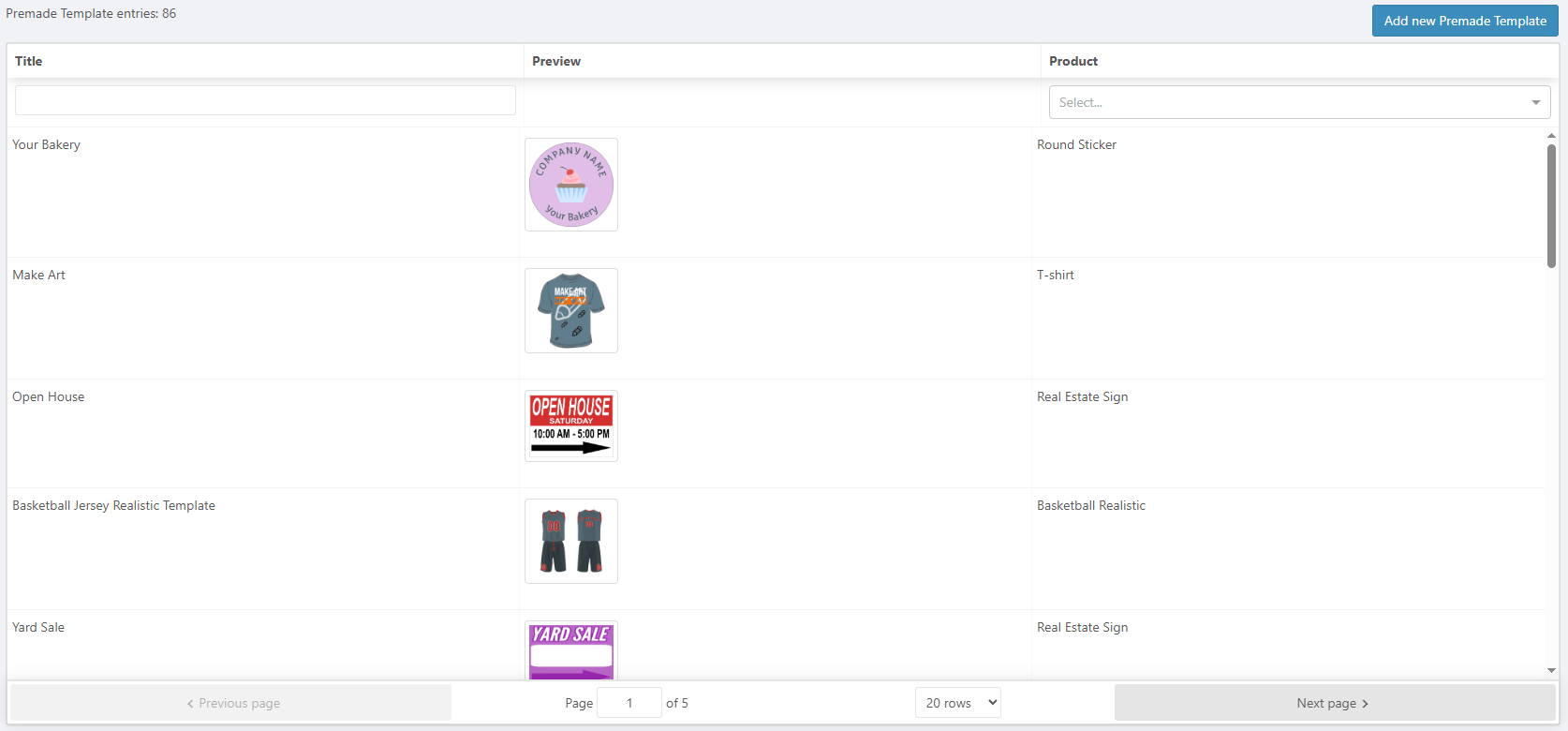
Premade Templates
You can create Premade Templates tied to specific products — for example, a t-shirt with a centered logo, or a banner layout with preset text zones. Customers can open the template, tweak colors or text, and place an order without starting from scratch. It’s a perfect way to speed up design time and guide users toward professional-looking results.
Design Ideas
If you want reusable concepts that can work across different products, you can build Design Ideas. These act as flexible design blueprints — one click loads them into the editor, ready to be applied to any compatible product.
Templates and ideas can be duplicated, edited, and organized into collections, making it easy to scale your creative offerings as your catalog grows.
Using LACP as a Quote Tool
Not every business runs on a full eCommerce platform — and that’s where LACP’s flexibility shines. The LiveArt Control Panel can function as a comprehensive get a quote management tool, collecting all the necessary details to process custom requests, even without an online store.
When a customer finishes their design, the system captures everything automatically:
> Customer details, including name, email, and contact information.
> Submitted designs — artwork files, layers, and preview images.
> Pricing details — including item cost, size, and customization rules.
All submissions appear right inside your admin dashboard. From there, you can review, adjust, and send quotes manually or generate production-ready output files, such as PDF, PNG, or JPEG.
This setup is perfect for print shops, sign makers, and B2B sports uniform companies that rely on direct communication rather than automated checkout. You get all the benefits of LiveArt’s design workflow — plus an organized way to handle custom orders from start to finish.
Platform Integrations: Shopify, BigCommerce, and Beyond
The LiveArt Control Panel was built to stay flexible — not locked into a single platform or ecosystem. Whether you’re using Shopify, BigCommerce, or a custom storefront, LACP can serve as the foundation that powers your product customization workflow behind the scenes.
Shopify Integration
LACP is already fully reused within the Shopify connector, allowing store owners to connect LiveArt’s customization features directly to their Shopify catalog. Products are seamlessly linked between Shopify and LACP, keeping everything in sync.
All designer-related assets — including colors, templates, fonts, pricing rules, and galleries — are managed within LACP. Shopify handles storefront and checkout; LACP handles customization logic and design data. It’s a clean split that ensures performance, scalability, and easy maintenance.
BigCommerce Integration (in the Future)
A similar setup is planned for BigCommerce, following the same connector-based approach. In this model, customer orders are processed on the eCommerce side for payment and fulfillment, while all product setup and personalization settings remain in LACP.
This approach keeps the system platform-agnostic, meaning any future eCommerce or ERP platform can connect through the same flexible architecture.

Collaboration and Access
The LiveArt Control Panel is designed for teams. You can create multiple admin accounts and manage each user's access without role limitations. Whether it’s a designer managing templates or a production lead reviewing orders, everyone can work within the same system without overlap or confusion.
The left-side navigation panel makes navigating the dashboard quick and intuitive. Everything has its place — products, colors, fonts, galleries, pricing, and orders — so you’re never more than a click away from what you need.
For developers, LACP still includes advanced configuration fields for fine-tuning integrations or adding custom logic. But for everyday use, none of that is required. The interface stays simple, visual, and approachable — built for real business workflows, not just technical setups. And if your developer or platform provides an API, LiveArt can integrate with virtually any system.
Conclusion
The LiveArt Control Panel turns what used to be a technical chore into a seamless, visual process. It replaces manual JSON editing with an intuitive dashboard that centralizes every customization detail — products, pricing, colors, fonts, and galleries — all in one place.
Whether you’re using LiveArt Designer as a standalone tool or integrated with platforms like Shopify or BigCommerce, LACP gives your team total control over the customization workflow. It’s faster, cleaner, and built for collaboration.
Ready to see it in action? Book a call and experience the LiveArt Control Panel for yourself.