We’ve just released the March update for the LiveArt Designer, focused on improving print quality, giving admins more control, and making customization even more flexible.
This release helps with one of the biggest challenges in product personalization: inconsistent artwork quality and production bottlenecks. Let’s take a look at what’s new.
What’s New in the LiveArt Designer
From smarter uploads to more precise color control, this update makes customization easier for customers and more reliable for production.
Vectorizer: Turn Raster Uploads into Print-Ready Vectors
One of the most common issues in customization workflows is low-quality artwork. Customers upload small JPGs or PNGs, scale them up, and the final print suffers.
With our new Vectorizer, uploaded raster images are automatically converted to SVG format.
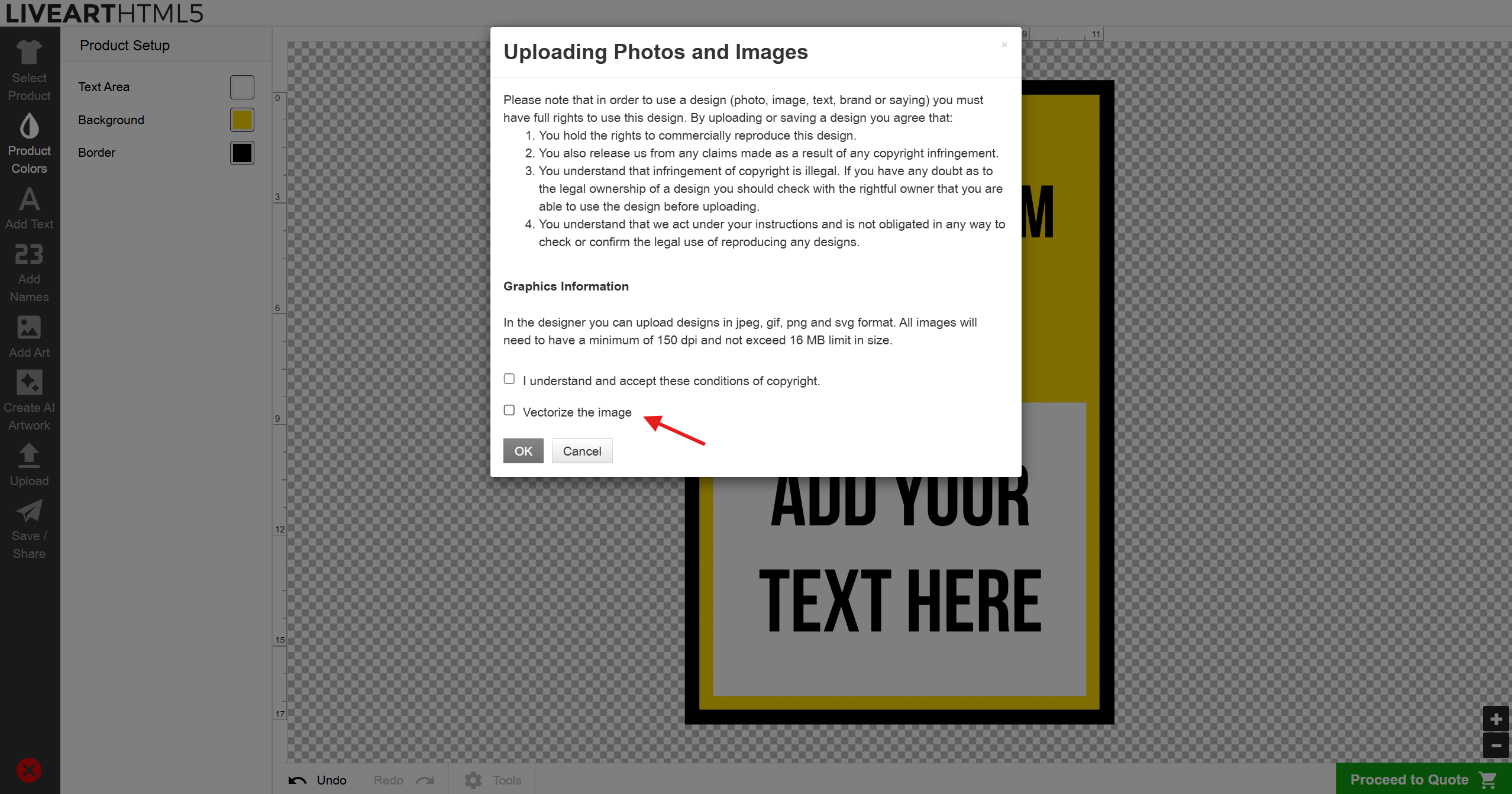
What this means:
> Images can be scaled without losing quality.
> Artwork stays sharp for print production.
> The exported output file contains the vector version.
This significantly reduces production risk while giving customers greater confidence to resize their designs.
Export Original Customer Uploads
Admins now have direct access to the original files that customers upload.
From the order page, you can export a ZIP file containing all original customer uploads, including logos, artwork, and images.
This is especially useful when:
> Artwork needs manual refinement.
> A file requires professional adjustments.
> The original image quality needs to be reviewed.
> You need a source file to send correct information to the production team.
It adds flexibility to your workflow and keeps everything accessible when adjustments are required.
New Color Picker: More Precision, More Control
We’ve upgraded the LiveArt color picker to make color selection more intuitive and flexible.
The new version allows:
> Hex color input
> RGB values
> Opacity control
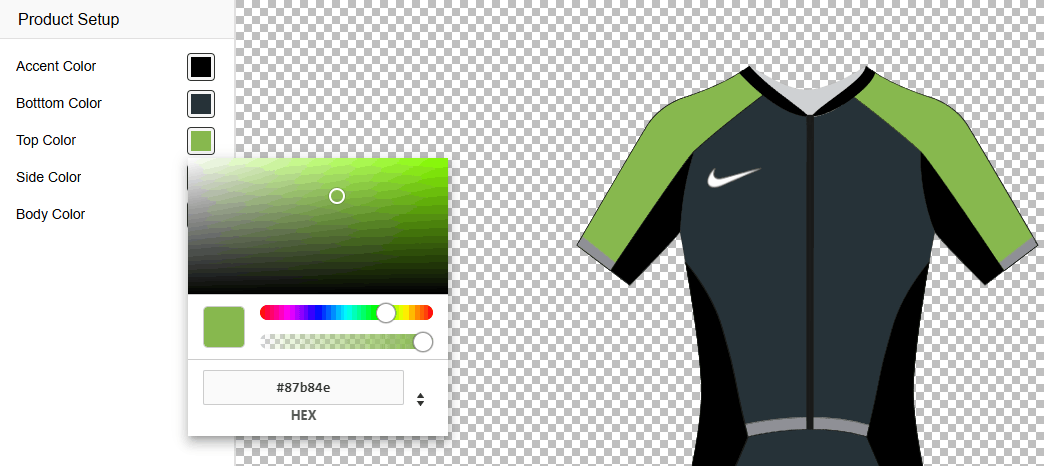
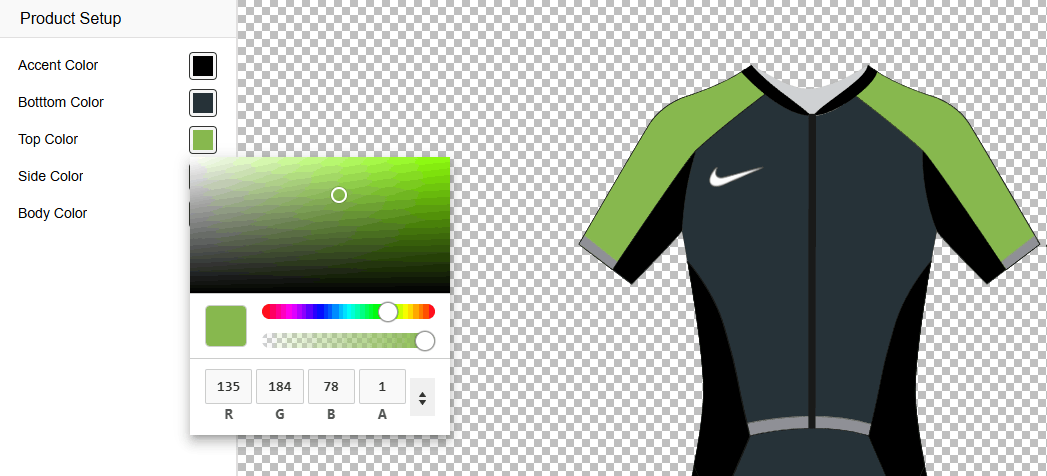
This gives customers more precise control over their designs. The result is a smoother customization experience and more consistent print outcomes.
The update is now live — explore the new features and see how they improve your workflow from upload to output.